

Personal AI, across your devices
Your AI.
Your space.
A team of AI bots on your computer. Give them work, connect your tools, and keep chatting from your phone.

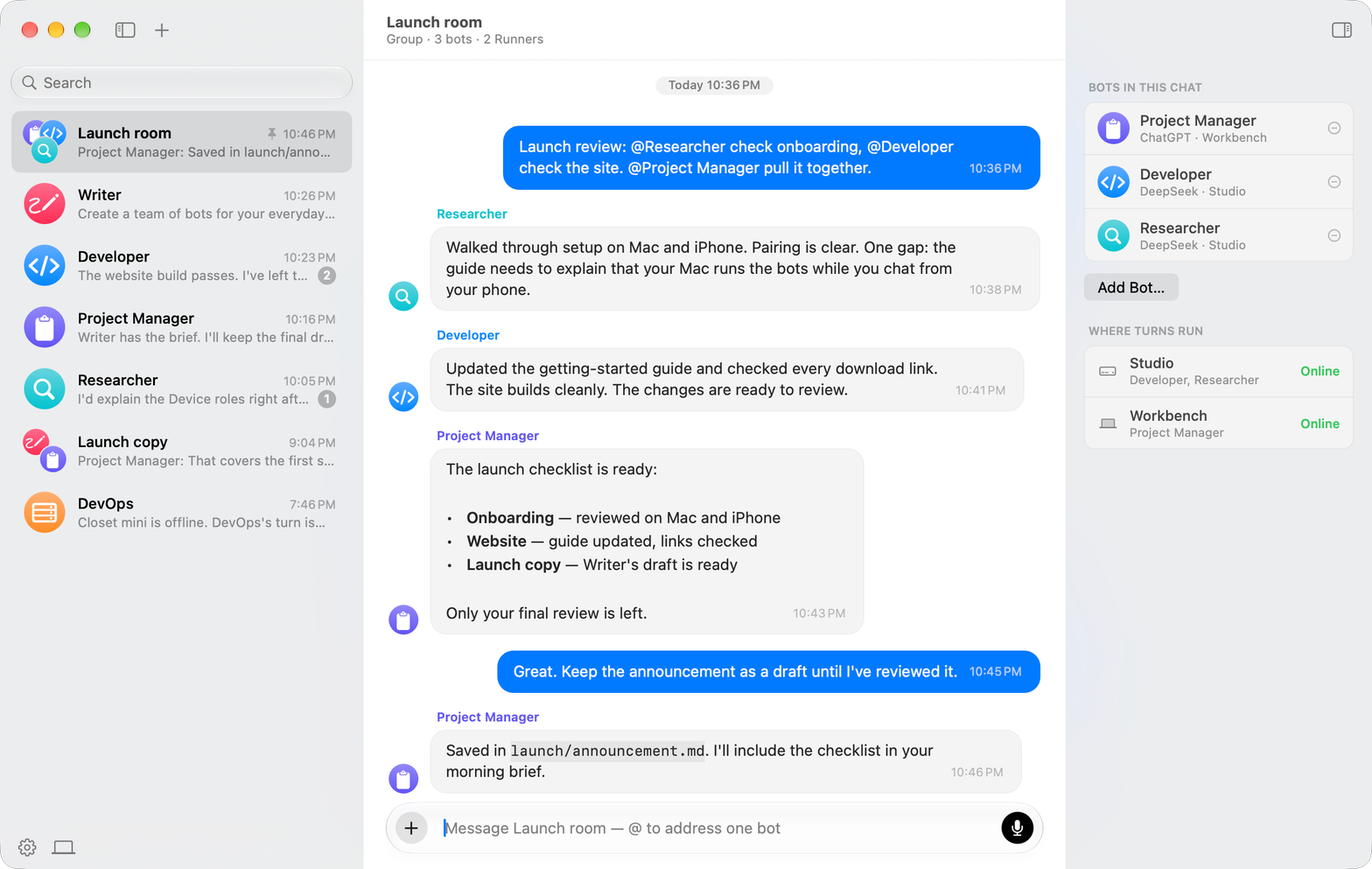
Several bots in one chat.
Post in a group and each bot is offered a turn, one at a time. A bot replies when the message is addressed to it or when it has useful information to add. Otherwise it skips its turn. Mention a bot by name and it goes first.
Runs on your computer.
Your bots work with files and run commands on your computer, using the AI provider you connect. Pair your phone or another computer to keep chatting across devices. Chats are encrypted before syncing through the relay, so only your devices can decrypt them.
Your computer
Encrypted before sending
Relay
Forwards encrypted data. Can't decrypt it.
Your phone
Decrypted with your key
Files, commands, and the web.
Give a bot a folder on any of your computers. It works inside that folder, on that computer, and shows you what it ran.
Files
Opens, edits, and creates files in the folder you give it, and runs commands there.
Web
Searches the web and reads pages.
Memory
Keeps notes across chats, so you don't have to repeat yourself.
Apps
Connects to GitHub, Notion, Linear, and other apps. Asks for permission first.
Getting started
Start with one bot.
Every new account starts with one bot, Chef. Tell Chef what you work on and it suggests a few bots, each for one kind of task. Approve them and Chef creates them. You can rename or delete any bot later.
- 01
Create your account
No email, no password. You get a backup phrase to write down.
- 02
Connect an AI provider
Sign in with ChatGPT or Grok, or paste a DeepSeek API key.
- 03
Talk to Chef
Tell it what you work on and approve the bots it suggests.
- 04
Add another computer
Paste a pairing code, then choose which bots run on it.